Русский
 English
Spot‑on Rank Tracking in Google, Yandex and more
Track rankings in all popular search engines with a hundred percent accuracy for any location and device, and compare them with your competitors'

7 search engines
Topvisor shows clockwork rankings of websites, sections, or URLs in Google, Yandex and Yandex.com, Bing, Seznam, and also tracks rankings of Youtube videos or channels and apps in App Store and Google Play. You can even check ranks of VK groups or articles — do whatever you need.Launch checks with any locations and languages
Topvisor supports all locations, domains and languages available in search engines. Track websites' ranks in New York or across the whole US, even if you're in Murmansk. You can check SERP in any language, from English and Italian to Thai and Hebrew.Track results in desktop and mobile SERP
Check rankings in desktop and mobile search results. Compare positions in different search engines, locations and devices on the same screen.Find competitors or add them by hand
Add competitors and compare their rankings with your own. You can track positions of 5 competitors for free! Don't know who are your competitors? Find them in Topvisor and add to the project.Run checks on schedule
Schedule checks and reports: Topvisor will track rankings on time and send a detailed report by e‑mail. You don't need to log in to get the latest data timely.
Check history is stored forever and available even if your balance is flat broke
Topvisor neither ever deletes projects nor restricts access to the checks and reports when your balance is zero. Your projects are yours alone.No limits at all
We don't limit the number of projects, keywords or checks you may have on any pricing plan. Check as much as you need, and we'll for our part make sure Topvisor runs fast, no matter how much data is displayed.Play as a team
Share a project with your teammates using guest access. Set up access level: it's up to you whether they can launch rank tracking and edit keywords or just view data.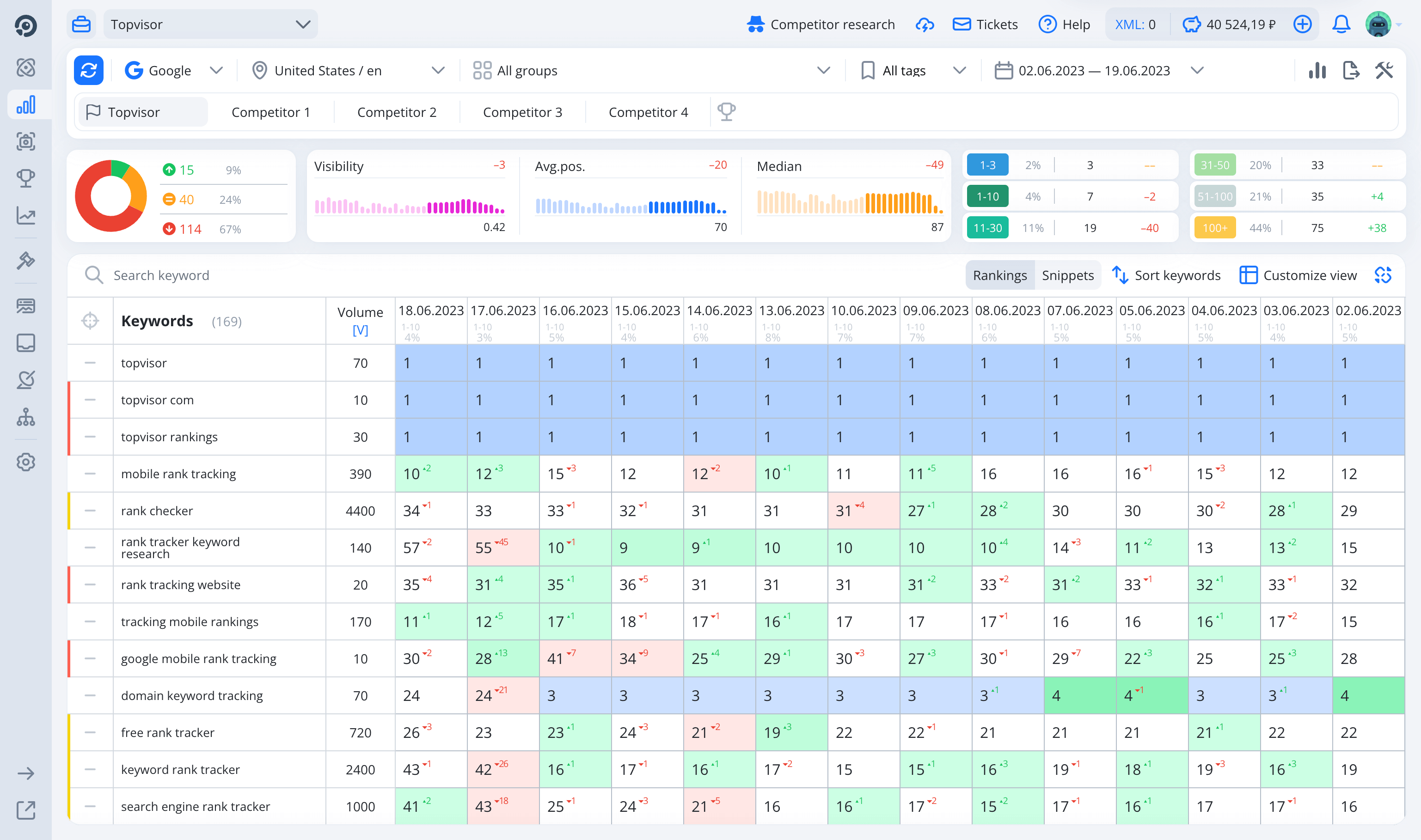
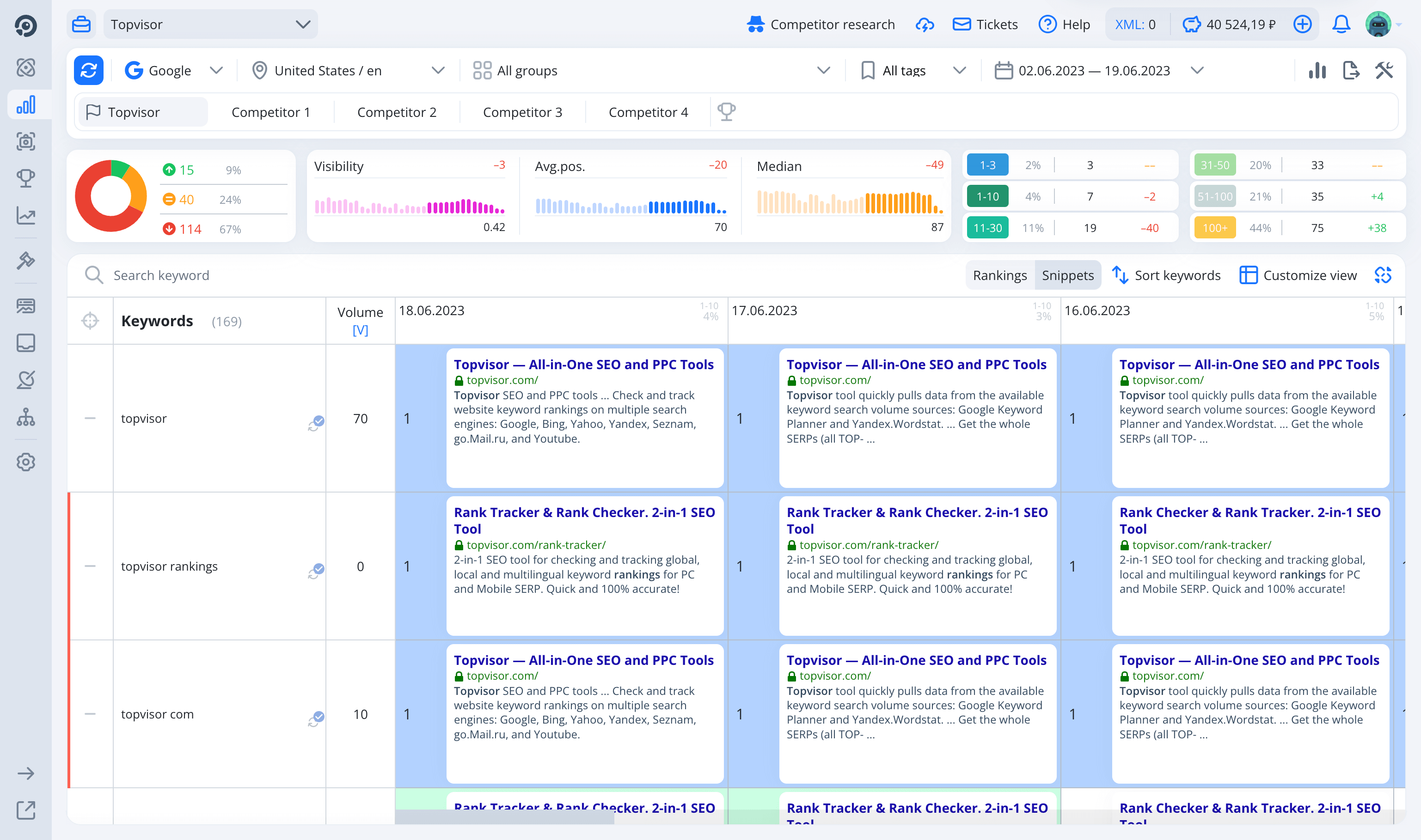
 Collect snippets to see how website is ranked in search
Collect snippets for all keywords so that you can sum how the URL is presented in SERP and compare competitors' snippets with yours in search engines, locations and devices.
Collect snippets to see how website is ranked in search
Collect snippets for all keywords so that you can sum how the URL is presented in SERP and compare competitors' snippets with yours in search engines, locations and devices.


Tracking of Featured Snippets, AMP and Turbo pages built‑in
You'll see if a website's got Featured Snippets or has AMP or Turbo pages. Learn all about yours and your competitors' rankings.
Share reports with clients in one click
Use guest links so that your clients don't have to sign up in Topvisor. What is shown via the link is up to you. Clients'll see only what you want them to see.Analyzing millions of keywords never been easier
Analyzing data with Summary is a piece of cake. See in a wink how a website's risen or fallen in SERP along with its Visibility, Average and Median positions trend, keywords distribution by Tops and other metrics.API
API
API for all tools.
For free. On all pricing plans.
Pull data from Topvisor wherever you need with simple API. Available on all pricing plans! Try out how it works in API Explorer.
API documentation Why should I check rankings?
Checking your website's positions helps you understand how effective your SEO is. The higher your website is in search results, the more traffic and leads it brings. You'll also be able to evaluate the quality of your SEO, compare your results with competitors' and quickly generate reports for clients or management to show off the results.
How to set up a project to check positions online in Topvisor to get maximum information?
We have collected all the steps in our Help Center. It will only take a couple of minutes.
Is it possible to check a site's positions for keywords for free?
Yes, after registration you will receive bonus to your account, which will be enough for a free check of the site's positions for several dozen keywords. This is a great way to test the tool without any costs. For detailed prices and tariffs, see our price list. And if you need an extended test to understand how the service works on large volumes and with a complex semantic structure, write to us by email support@topvisor.com. We will help you calculate the costs of checking positions for your semantic core.
Can I check competitors' positions for my semantics?
Of course! You can add 5 competitors to each project for free and collect their positions in search engines. You can add up to 250 competitor sites to a project. And you will receive results for them with a rankings check of the main site.
I want to see the entire Top with exact URLs and snippets, how can this be done?
Another tool of ours, Snapshots, will help you with this. With the SERP Top Checker tool, you'll see relevant URLs and domains from the search results, snippets, and also find intersections by domains and pages. This is convenient for analyzing competitors, finding ideas for content, and understanding who occupies the search results for keywords. When collecting TOPs, positions are checked for free.
How often should I check positions?
You can check positions as much as you think necessary, and we will provide a fast and accurate check of the site's positions in Yandex, Google, YouTube and other search engines. But only one, the last check, is stored per day.
Where to go if the positions do not match organic SERP?
The site's positions in Yandex and Google may differ due to personalization, region, device, and other factors. We shared common reasons why positions do not match, as well as a guide to manual check in the article on why positions may differ from the search results. And if you have correctly checked the positions yourself and found discrepancies, write to our support, we will analyze the situation.
Is it possible to avoid wasting time on manual checking on Monday morning and immediately receive results at the beginning of the working day?
Yes! The tool can be set up to automatically run a check on a schedule and send regular reports to email. All search engines, regions, and groups in the project will be checked automatically — without manual actions.
How many sites and search engines can be added to a project?
Topvisor has no restrictions on the number of sites and search engines that you can add to a project. You can check positions for several sites at once — for one or for a hundred. This is especially convenient if you work in an agency, manage several projects and want to compare your site with competitors.
Is it possible to see not only the positions of sites, but also their snippets?
Yes, to do this, go to the Tool Settings and enable snippet collection. The collection adds 1 kopeck to the cost of checking a request on the basic tariff, but snippets are collected for free for competitors.
Use Topvisor to the max
See all our partners' cases
We proved that we are the best


The Best Rank Tracker
Topvisor was honored as the best service for ranks analysis and tracking at the Baltic Digital Days conference and received #BDD 2024 award.
Top‑3 Best SEO Tools
Topvisor was ranked among the top three SEO‑services for analytics by SeoNews website in 2022.
«Apostol» Award
Topvisor’s Telegram channel received the bronze of Apostol Award in 2023 in Brand Media nomination.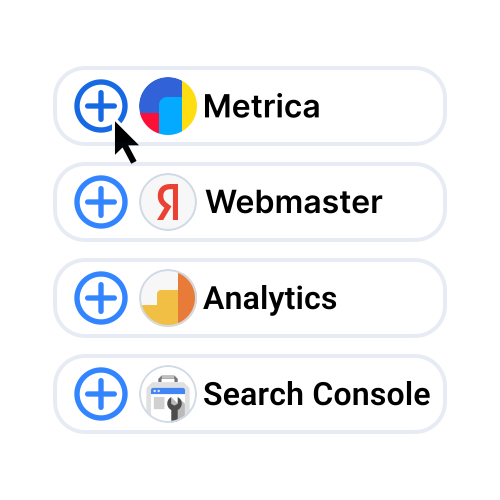
The whole nine yards
Connect Yandex.Metrica and Google Analytics to get traffic data, and Yandex.Webmaster to see indexing and backlinks. Upload keywords that brought users to your website according to them and Google Search Console for free.
Tools and prices
What is a pricing plan (tariff)?
XS
No discount
S
-10%
M
-15%
L
-20%
XL
-30%
No discount on Topvisor tools
$0
per month
You save 10% on Topvisor tools
$29
per month
You save 15% on Topvisor tools
$89
per month
You save 20% on Topvisor tools
$299
per month
You save 30% on Topvisor tools
$599
per month
Rank Tracking, SERP Top and AI
Check keyword rankings on
Checking 1 keyword ranking for:
Max depth:
- 1 search engine;
- 1 location;
- 1 language;
- 1 type of search results (PC / Phone / Tablet).
Max depth:
- Yandex: Desktop — 250, Phone — 50;
- Google: 100;
- Bing, Seznam, YouTube, App Store: 100;
- Google Play: 30.
¢0.15
¢0.135
¢0.128
¢0.12
¢0.105
Collect snippets in Rank tracker
Snippets is how your website looks in search results.
A snippet includes URL, title, description, and other elements.
Collect snippets and see if they match the keywords they rank for.
More on collecting snippets →
Example:
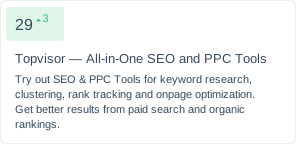
Collect snippets and see if they match the keywords they rank for.
More on collecting snippets →
Example:
+ ¢0.025
+ ¢0.023
+ ¢0.021
+ ¢0.02
+ ¢0.017
Collect AI-snippets (AI Overviews, Alice AI quick answers)
new
Collecting AI-snippets (full texts in AI Overviews in Google, Alice AI quick answers in Yandex) of 1 keyword for:
- 1 search engine;
- 1 location;
- 1 language;
- 1 type of search results (PC / Phone / Tablet).
+ ¢0.15
+ ¢0.135
+ ¢0.128
+ ¢0.12
+ ¢0.105
Dynamic places
new
For tracking website positions in Yandex Dynamic places as rankings. Dynamic rankings will be marked with a special icon and color in the report.
Learn more about tracking Dynamic places →
Learn more about tracking Dynamic places →
Collect SERP Snapshots
Snapshot is SERP Top websites ranking for a keyword.
Collect Snapshots with snippets and compare Tops for different keywords or see how the Top for 1 keywords changed.
When you collect Snapshots you also get SERP Top competitors sites for free, and also competitors' ranking URLs.
More on SERP Top tracking →
Example:
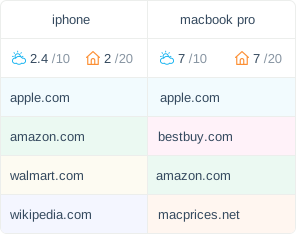
Collect Snapshots with snippets and compare Tops for different keywords or see how the Top for 1 keywords changed.
When you collect Snapshots you also get SERP Top competitors sites for free, and also competitors' ranking URLs.
More on SERP Top tracking →
Example:
+ ¢0.025
+ ¢0.023
+ ¢0.021
+ ¢0.02
+ ¢0.017
Collect snippets in SERP Snapshots
new
Snippet is a website description which is displayed in SERP.
Collect SERP Top with snippets to see the best SERP snippets and use them for building your own SEO strategy.
When you collect Snapshots you also get SERP Top competitors sites for free, and also competitors' ranking URLs.
More on SERP Top snippets →
Collect SERP Top with snippets to see the best SERP snippets and use them for building your own SEO strategy.
When you collect Snapshots you also get SERP Top competitors sites for free, and also competitors' ranking URLs.
More on SERP Top snippets →
+ ¢0.025
+ ¢0.023
+ ¢0.021
+ ¢0.02
+ ¢0.017
Check competitors (up to 5 for free)
For each competitor, starting with the 6th competitor.
Competitor is a website checked together with the main project URL. You can add competitors in the project settings.
More on competitors tracking →
Competitor is a website checked together with the main project URL. You can add competitors in the project settings.
More on competitors tracking →
+ ¢0.025
+ ¢0.023
+ ¢0.021
+ ¢0.02
+ ¢0.017
Relevance check
new
For checking relevant URL of 1 keyword for:
- 1 search engine;
- 1 location;
- 1 language;
- 1 type of search results (PC / Phone / Tablet).
¢0.15
¢0.135
¢0.128
¢0.12
¢0.105
AI Tracker
new
Checking of 1 prompt for:
- 1 AI;
- 1 location;
- 1 language.
¢6
¢5.4
¢5.1
¢4.8
¢4.2
AI Tracker Check competitors (up to 5 for free)
new
For each competitor, starting with the 6th competitor.
Competitor is a brand or a website checked together with the main project brand. You can add competitors in the project settings.
More on competitors tracking with AI Tracker →
Competitor is a brand or a website checked together with the main project brand. You can add competitors in the project settings.
More on competitors tracking with AI Tracker →
+ ¢0.25
+ ¢0.225
+ ¢0.213
+ ¢0.2
+ ¢0.175
Account
Link shortener
API
Use free and unlimited API for Topvisor project management and pulling data.
API docs for developers →
API docs for developers →
Number of projects and keywords
The number of projects you can add and the number of keywords you can check is unlimited.
The only thing you must have enough funds in your balance to launch a check.
Number of Guest accounts
Guest Account is an account who have access to view projects or work with them, change settings and launch checks.
Add Guest Accounts if you work as a team.
More on Guest Access →
More on Guest Access →
Reports branding
Using another rank tracker?
Switching to Topvisor is child's play. We'll transfer your projects from another service for free and import rank tracking history. The first check – on our dime.